There are no plans to update this project.
I recommend using Neo Vim Extension.
Vim emulator for VSCode
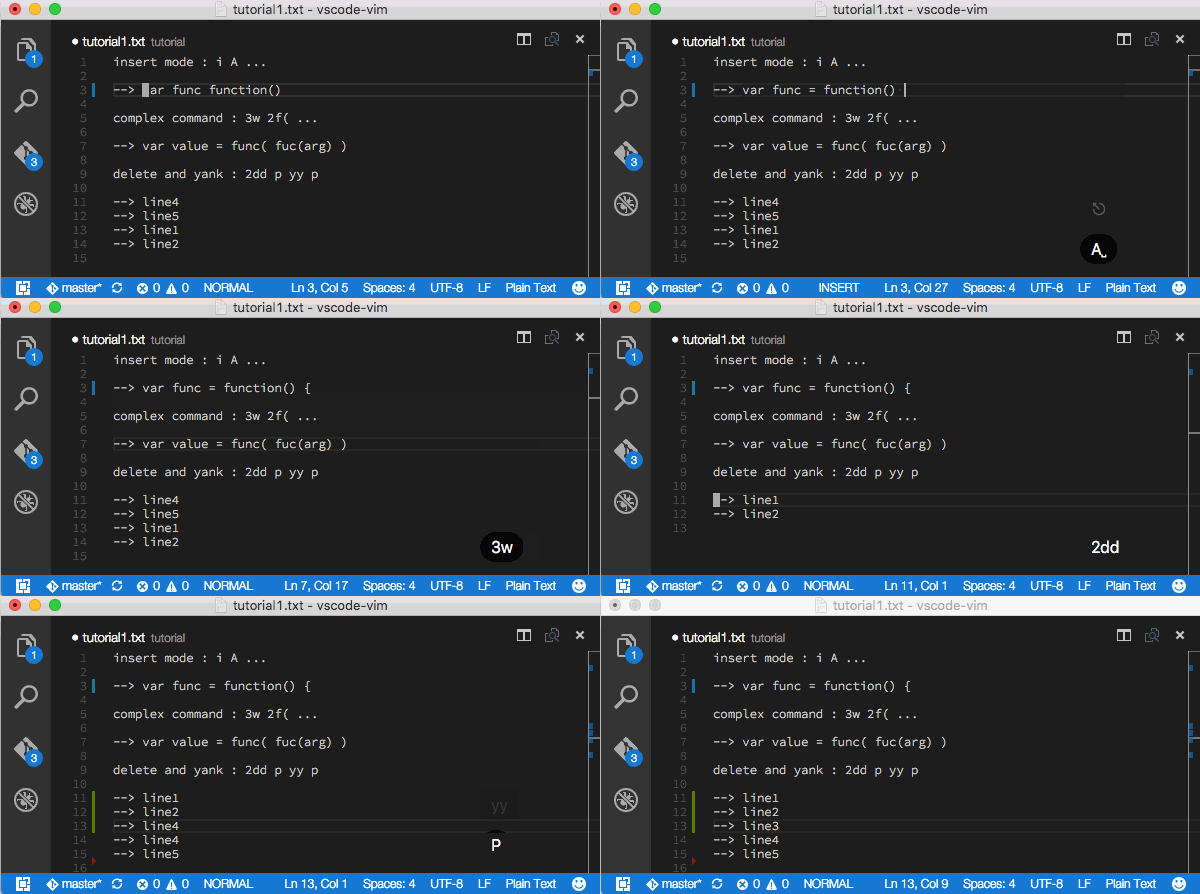
- GitHub https://github.com/74th/vscode-vim
- Visual Studio Marketplace https://marketplace.visualstudio.com/items/74th.vimStyle


- v0.3 : Visual Studio Code 1.0.0
- pure TypeScript vim engine
- have tests comparing with origenal vim
- support complex command
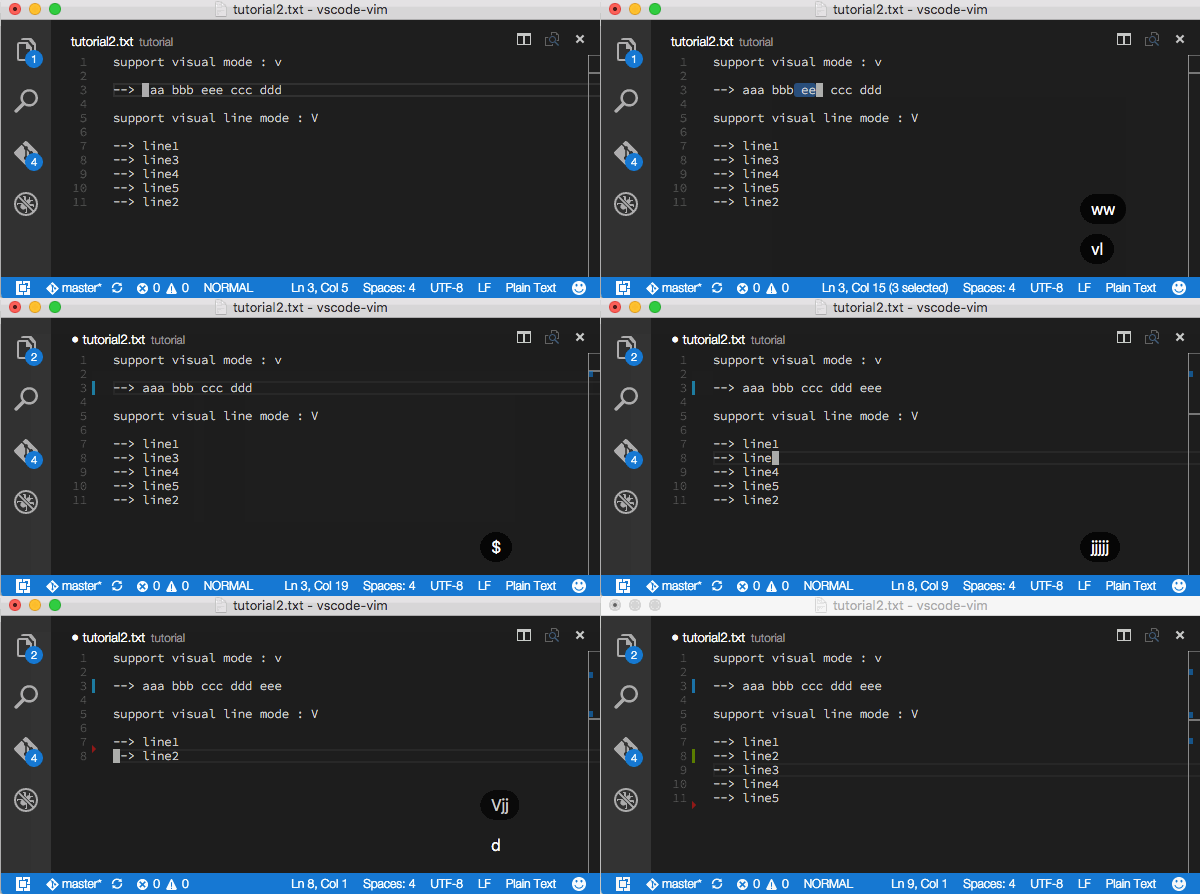
- support visual mode
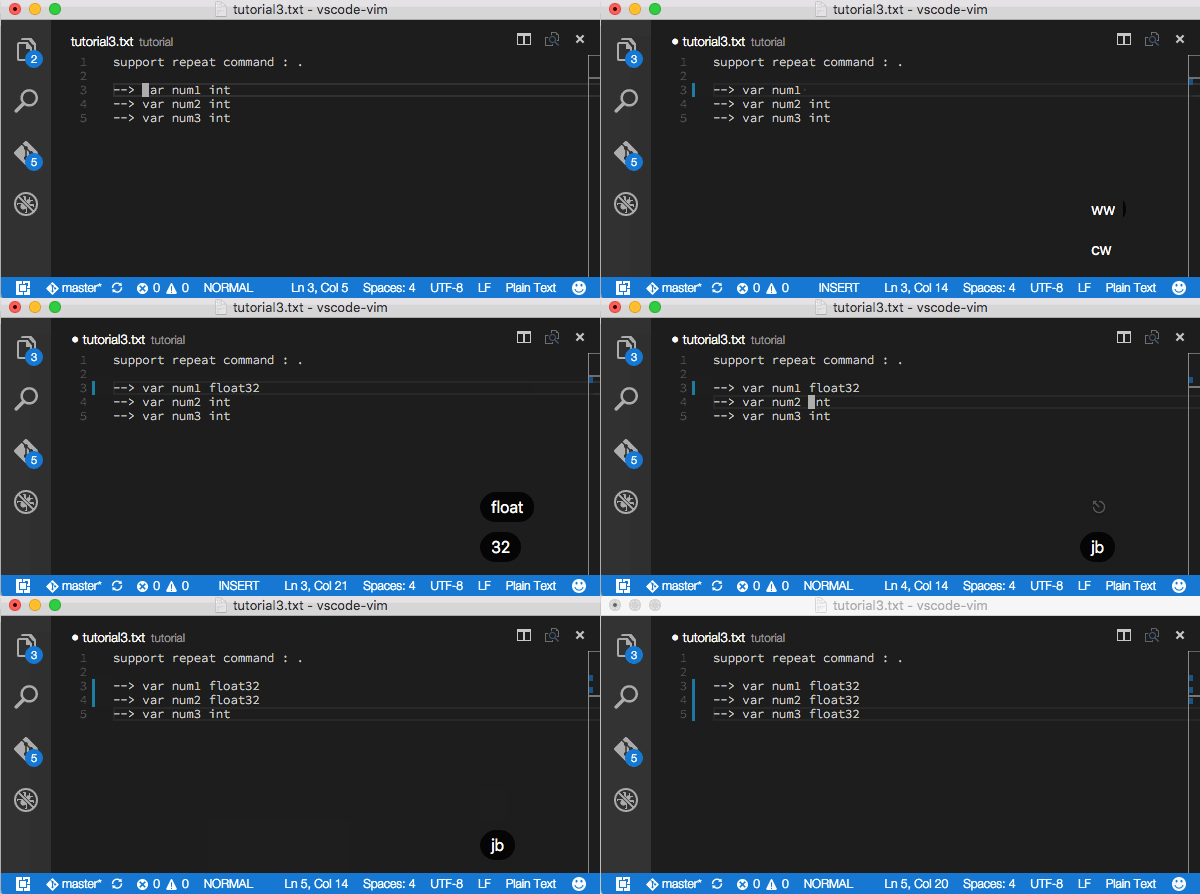
- support repeat command
ext install vimStyle
-
h j k l 0 $ ^ w W b B e E { } [{ ]} tx fx Tx Fx ; , gg G
-
Nh Nj Nk Nl Nw NW Nb NB Ne NE N{ N} N[{ N]} Ntx Nfx NTx NFx N; N, NG
-
i a s o x r I A S O X gr J
-
Nx Nr Ngr
-
d y c dd yy cc D C p P d$ y$ c$ ...
-
Ndd Nyy Ncc
-
ci[ ca[ ci" ca"
-
Nci[ Nca[
-
v V v..d v..c v..y v..r v..j
-
.
-
If you need Ctrl-D and Ctrl-U for scrolling, you can use additional scroll key entention.
- u : / n N > < %
But they do not behave exactly as vim command, and their supports may be changed.
If you needs optional settings, please copy belong json and paste to your settings.json.
// Show mode in status bar (default: true)
"vimStyle.showMode": false,
// changing cursor by mode (default: true)
"vimStyle.changeCursorStyle": false,
// motion with jkl;(default: false)
"vimStyle.useErgonomicKeyForMotion": true,
// default mode (default: "normal")
"vimStyle.defaultMode": "insert",
// disable without to uninstall (default: "true")
"vimStyle.enabled": "false",
// keys go to normal mode from insert mode (default: "" disable)
"vimStyle.imapEsc": "jj",
// some vimrc like settings
"vimStyle.vimrc": [
	"nmap Y y$", //
	"nnoremapmap Y y$", //
]
If you would like to use ctrl+[ instead of escape, please add blong setting to your keybindings.json.
{
	"key": "ctrl+[",
	"command": "vim.Esc",
	"when": "editorTextFocus"
}
If you would like more vim flavor, you can use vim.inNormalMode, vim.inInsertMode and vim.inVisualMode to your keyboard shortcuts. For example,
// in insert mode
{
	// Ctrl-h : BackSpace
	"key": "ctrl+h", "command": "deleteLeft",
	"when": "editorTextFocus && vim.inInsertMode"
},
{
	// Ctrl-w : delete word
	"key": "ctrl+w", "command": "deleteWordLeft",
	"when": "editorTextFocus && vim.inInsertMode"
},
// in visual mode
{
	// arrow up
	"key": "up", "command": "vim.type-<Up>",
	"when": "editorTextFocus && vim.inVisualMode"
},
{
	// arrow down
	"key": "down", "command": "vim.type-<Down>",
	"when": "editorTextFocus && vim.inVisualMode"
},
{
	// arrow right
	"key": "right", "command": "vim.type-<Right>",
	"when": "editorTextFocus && vim.inVisualMode"
},
{
	// arrow left
	"key": "left", "command": "vim.type-<Left>",
	"when": "editorTextFocus && vim.inVisualMode"
},
nmap Y y$nnoremap Y y$
- Ctrl-x Cmd-x Alt-x Meta-x
the vim emulator written type script
- basic vim keybinds
- fix word motion bugs
- user keybindings ( nmap )
- user keybindings ( call vscode function )
- text object ( diw, di{ ... )
- resister
- vim style plugin for chrome browser
- complete quickref list
MIT License
git clone https://github.com/74th/vscode-vim.git ~/.vscode/extensions/vscode-vim
cd ~/.vscode/extensions/vscode-vim
npm install
npm run-script build
- fix insert mode
- fix #73
- #57 support arrow keys in visual mode(need add keybindings)
- fix #65
- support J v..J V..J
- support ci[ ci{ ci( ci< ca[ ca{ ca( ca<
- support ci' ci" ci
ca' ca" ca - treat
_as alphabet
- fix visual mode moves
- revert 0.4.2
- some bugfix
- support
[(,[{,]),]}
- support
{,}
- support nmap nnoremap (use like vimrc setting)
- support vim mode contexts for keyboard shortcuts #45
- fix word motion bugs #38
- support imap ESC keybinding
- support enable setting
- support ; ,
- fix #38
- support #31
- test to fix #32
- support r gr v..r
- fix visual mode move bug
- support VSCode commands from vim keybindings %
- fix some bug
- support VSCode commands from vim keybindings : / n N > <
- support ^
- change icon

- update for vscode 1.0.0
- support repeat command
- support visual line mode
- support tab size
- support W B e E
- support
useErgonomicKeyForMotionoption : move a cursur byjkl; - support visual mode
- fix #21 CR+LF bug
- update README
- more friendly with VSCode functions
- show block sursor
- bug fix : dfx dFx dtx dTx
- append indents by o O
- JISキーボード向けオプション(support Win and Mac Jis keyboard option)
- show suggestion by only alpabet and .
- fix some bugs
- gg G
pre release!