
(due to the spring cli project not being maintained anymore, we don't maintain the corresponding VSCode extension anymore either)
The extension integrates into Visual Studio Code UI Spring CLI which increases productivity when new Spring Boot projects are created or new functionality added to existing projects.
Easy way to add new functionality to Spring Boot projects from predefined projects registered with Spring CLI or from Gen AI by right-clikcing on the project's pom.xml
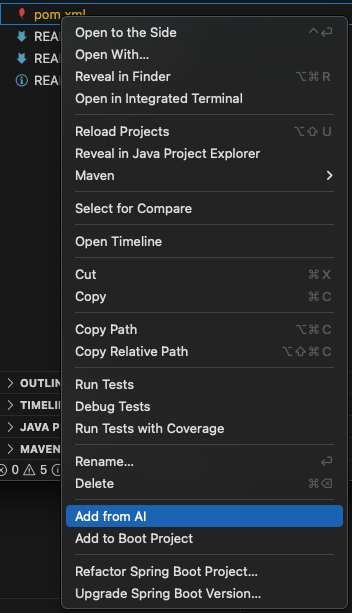
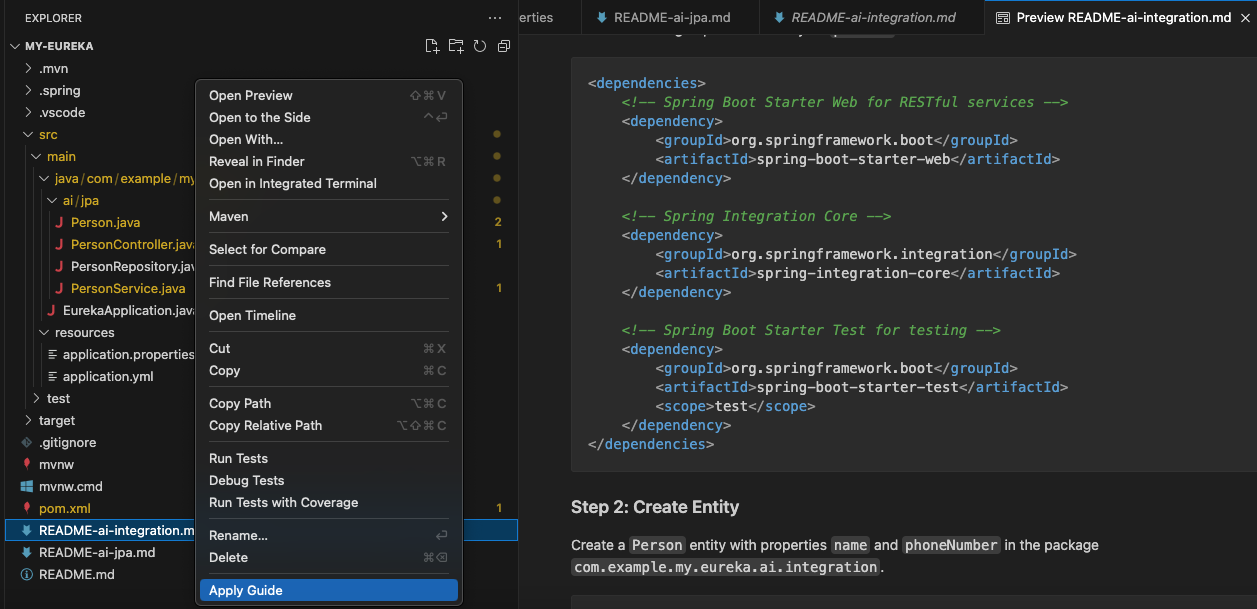
Easy access to the Gen AI generated Mardown file with an easy way to apply it:
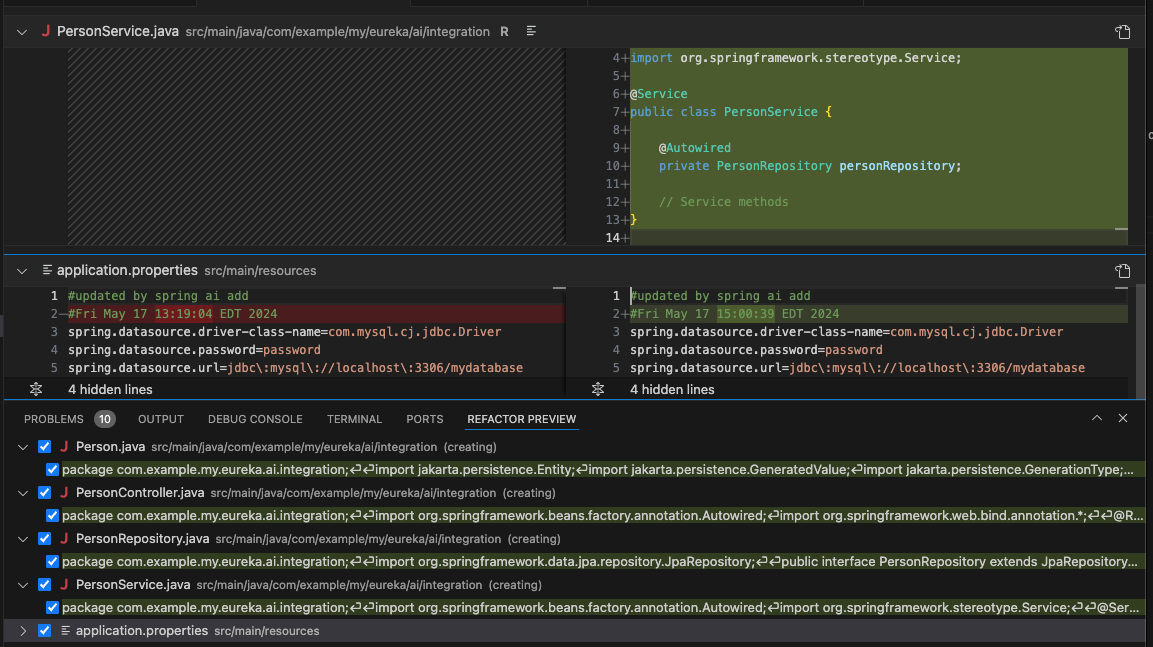
Applying the Gen AI response markdown guide to a project shows a diff view of what is about to happen to the project and can be undone via IDE provided "Undo" functionality
Furthermore, managing Spring CLI projects, projects catalogs and user defined commands is nicely wrapped into VSCode quick-pick UI elements via commands.
IMPORTANT The extension requires Spring CLI to be installed on your system. See Spring CLI Installation Guide. If Spring CLI executable is on the PATH environment variable then please use Spring CLI Extension setting spring-cli.executable to specify the path to Spring CLI executable file.
Create new Spring Boot project using predefined Spring Boot projects known to Spring CLI (boot new CLI command). The command is available via:
- Command Palette: Spring CLI: New Boot Project
Add functionality to a Spring Boot project from a list of predefined Spring Boot projects known to Spring CLI (boot add CLI command). The command is available via:
- Right-click menu item on
pom.xml: Add to Boot Project - Command Palette: Spring CLI: Add to Boot Project
Add functionality to a Spring Boot project from answer received from Gen AI (ai add CLI command). The command is available via:
- Right-click menu item on
pom.xml: Add from AI - Command Palette: Spring CLI: Add from AI
Apply changes outlined in the Markdown guide file received as an answer to user query from Gen AI (guide apply CLI command). The command is available via:
- Right-click menu item on
README-ai-*.md: Apply Guide - Command Palette: Spring CLI: Apply Guide
Add/Remove predefined projects catalog (project-catalog add/remove CLI commands). Available via:
- Command Palette: Spring CLI: Add Project Catalog
- Command Palette: Spring CLI: Remove Project Catalog
Add/Remove predefined projects (project add/remove CLI commands). Available via:
- Command Palette: Spring CLI: Add Project
- Command Palette: Spring CLI: Remove Project
New/Add/Remove user-defined command (command new/add/remove CLI commands). Commands can be created/added/removed locally to the workspace or globally. Available via:
- Command Palette: Spring CLI: New User-Defined Command (Create the command skeleton which then needs to be adjusted to user needs)
- Command Palette: Spring CLI: Add User-Defined Command (Adds a command to Spring CLI from a Git repo)
- Command Palette: Spring CLI: Remove User-Defined Command
Execute user-defined command. Allows user to select user-defined command either locally in the workpsace or globally, then the sub-command and then enter the parameters for the selected command and finally execute it. Available via:
- Command Palette: Spring CLI: Execute User-Defined Command