Step 1: Make it
What is it?
A simple project to help you count... skips, jumps, birds you see out of your window - anything!
These two videos show you what you'll make and how to code it:
Introduction
Coding guide
How it works
- This program uses a variable called 'count' to keep track of the number you're counting.
- It sets the variable to 0 at the start.
- Every time you press button B, it increases the count variable by 1 and shows it on the LED display.
- Numbers over 9 won't stay on the display, so pressing button A shows the number.
- You can reset the counter by pressing buttons A and B together.
What you need
- micro:bit (or MakeCode simulator)
- MakeCode editor
- battery pack (optional)
Step 2: Code it
1from microbit import *
2
3count = 0
4display.show(count)
5
6while True:
7    if button_a.is_pressed() and button_b.is_pressed():
8        count = 0
9        display.scroll(count)
10    elif button_b.is_pressed():
11        count += 1
12        display.scroll(count)
13    elif button_a.is_pressed():
14        display.scroll(count)
15 sleep(100)Step 3: Improve it
- Find another way of resetting the counter, for example by shaking the micro:bit.
- Showing the number graphically - use a bar chart or dots.
- Show a heart or another picture when you reach a certain number - it could be your target for star-jumps or another activity.
- Use radio to send the count number to another micro:bit acting as a remote display.
You may also like
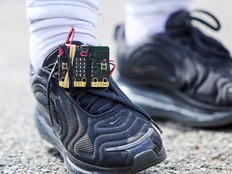
Make your own step counter with a micro:bit
Shake your micro:bit to make random numbers
Sense how warm or cold it is outside
This content is published under a Creative Commons Attribution-ShareAlike 4.0 International (CC BY-SA 4.0) licence.